Contents
AI video has caught up with AI images. Clips from Veo, Sora, Kling and Seedance now look like phone footage, stock video or a news clip, and they spread through the same feeds and chat apps as everything else. Teams that verify images are now being asked the same question about video: was this made with AI?
Today we are launching AI Video Detection on sightova.com. It is available now on the Starter, Premium and Enterprise plans.
What's new
- Video upload in the dashboard. Upload an MP4, MOV or WebM file up to 100 MB. The first 60 seconds of each video are scanned.
- Link checkers for social video. Paste a public TikTok, Instagram, X or YouTube Shorts link and get a verdict without downloading the clip yourself.
- A dedicated video model. Video has its own detection model, trained on AI-generated video from current generators. The image model is unchanged.
- One credit balance. Video draws from the same credits as image and document checks: 1 credit for every 5 seconds scanned.
How it works
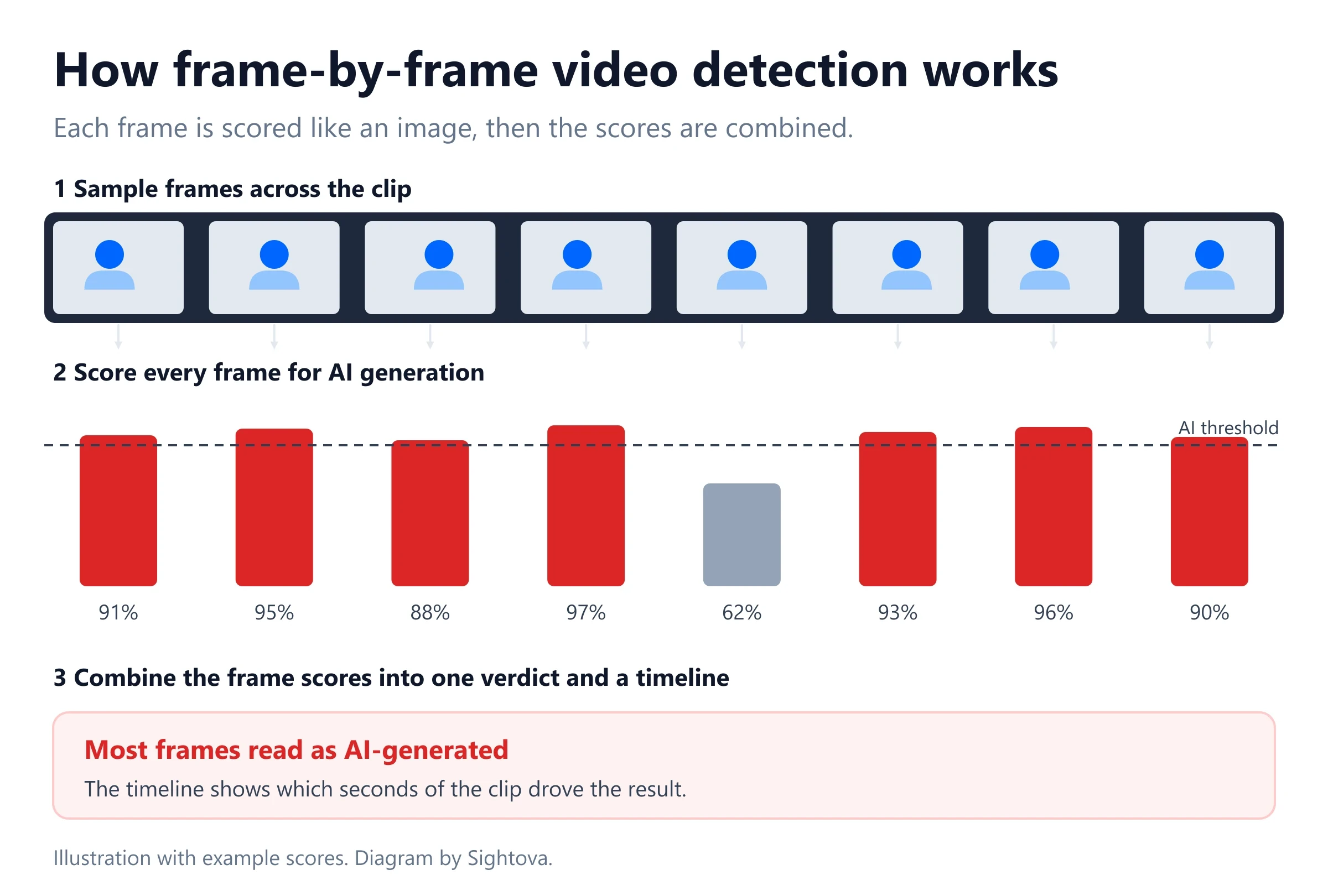
- Frames are sampled across the whole video, about one per second of the scanned part, between 8 and 40 frames.
- Each frame is scored by the video model, both as a whole frame and in close-up regions, so small generated areas are not lost in a wide shot.
- The frame scores are combined into one verdict. A video is flagged as AI-generated when at least 75% of its sampled frames score 0.85 or higher. A single unusual frame does not decide the result.
- Content credentials are read. If the file carries C2PA content credentials that declare AI generation, the result shows who signed them.
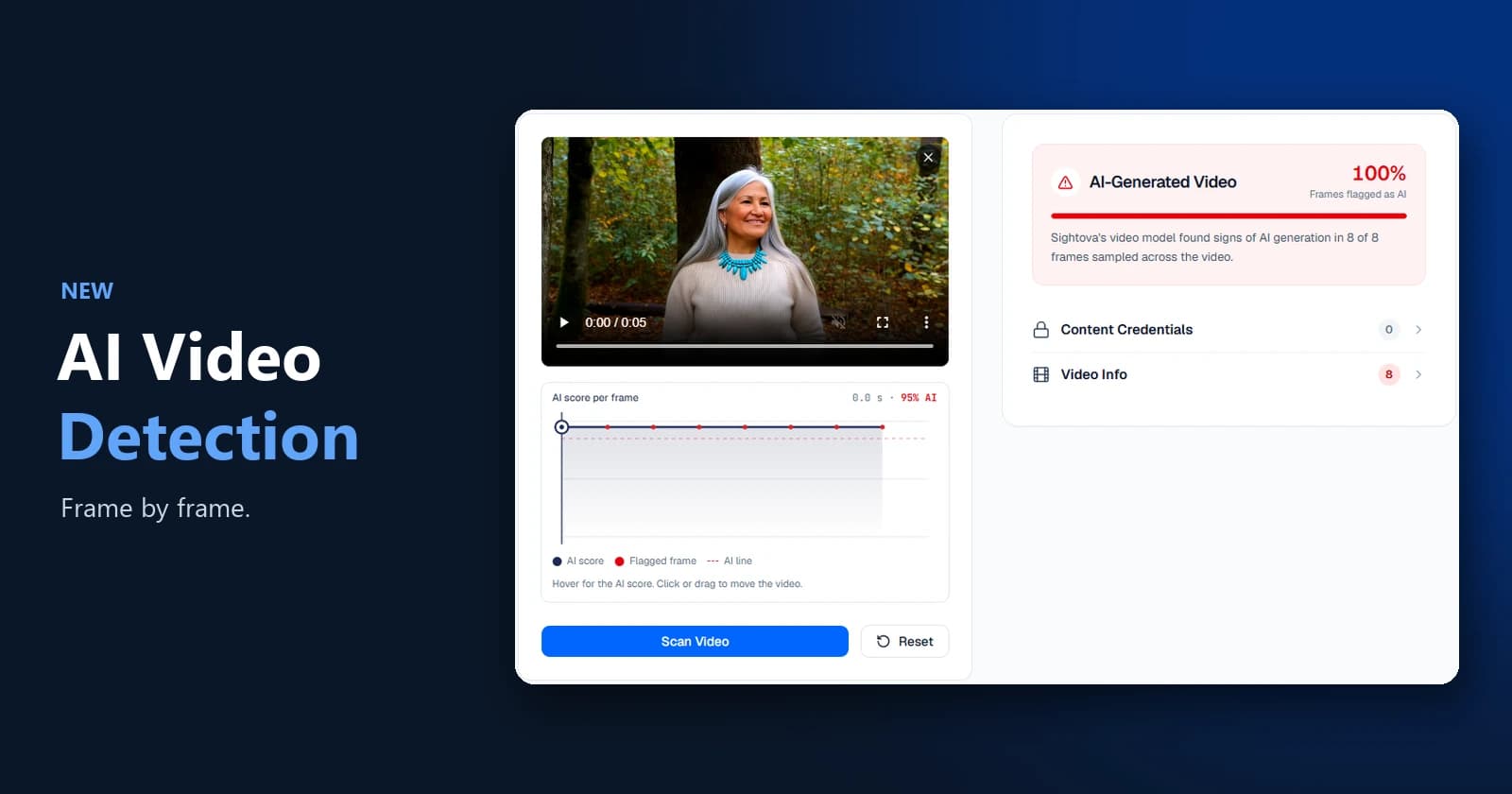
Every result comes with a frame timeline: each sampled frame plotted with its score, so a reviewer can jump straight to the moments that were flagged.
Example 1: an AI clip that looks like real footage
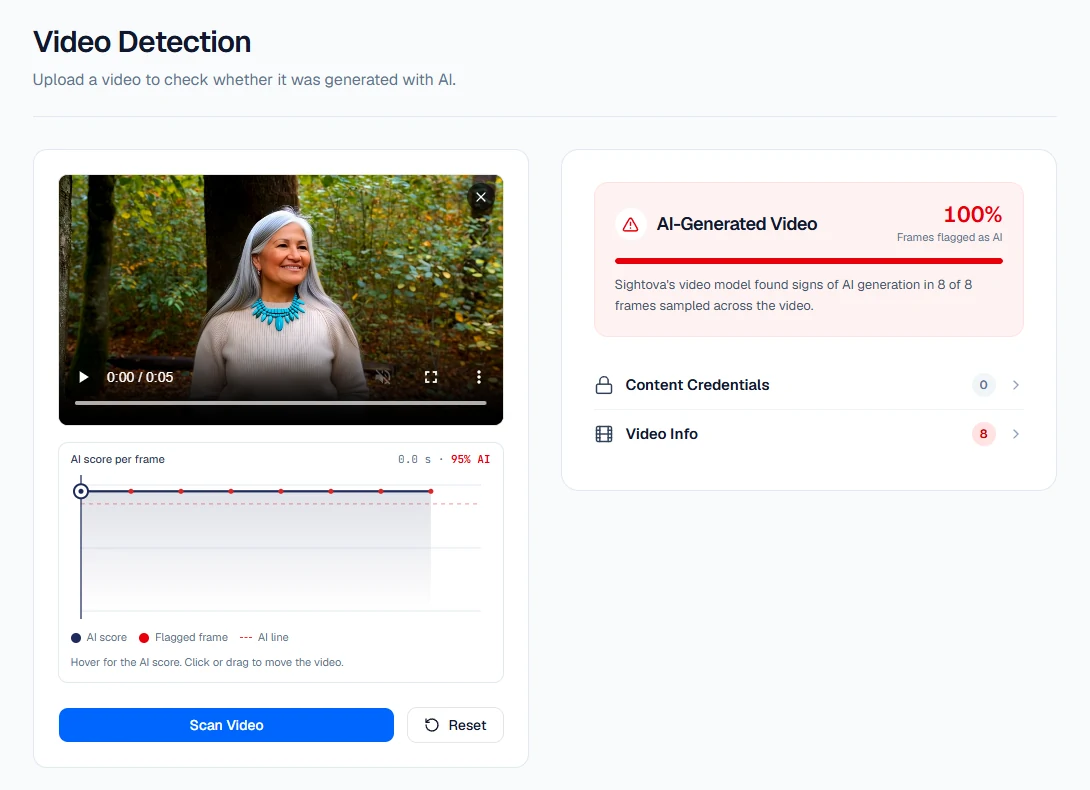
This 5-second clip shows a smiling woman in an autumn forest. It looks like an ordinary handheld shot, but it was generated by an AI video model. The file carried no content credentials, so there was nothing in the metadata to go on.
The video model scored all 8 sampled frames at 95%. The result: AI-generated video, with every frame flagged.
Example 2: the same check after a chat app
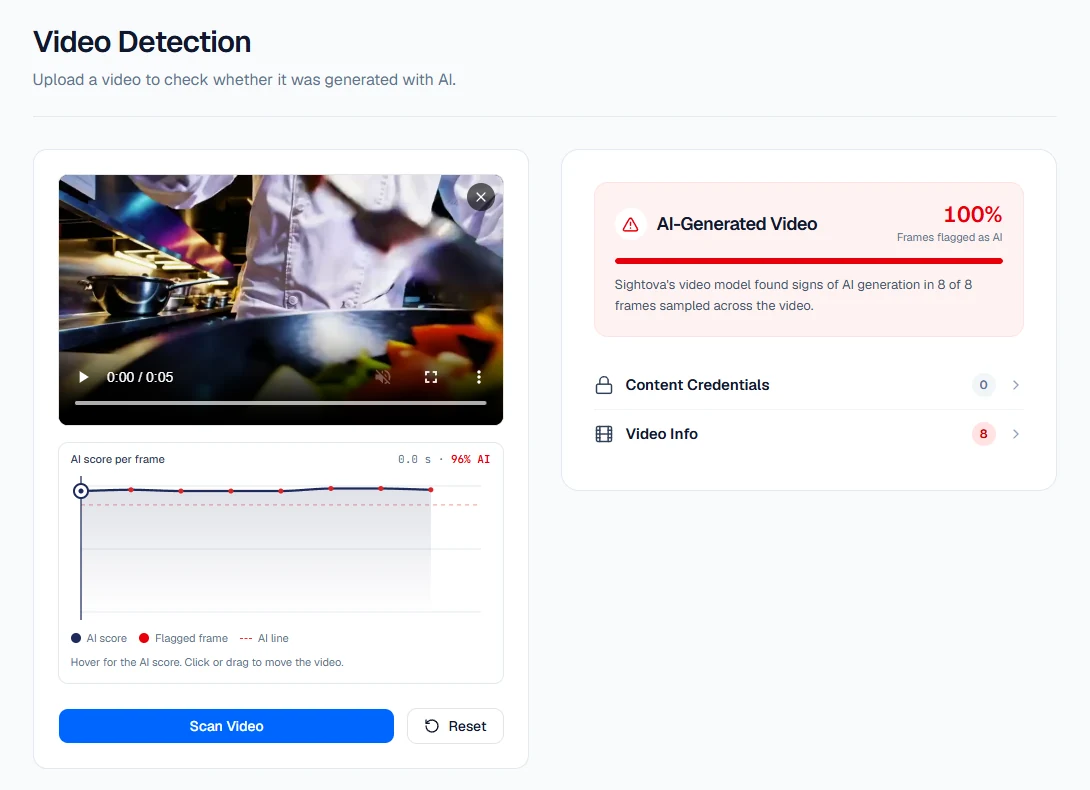
Most videos reach a reviewer second-hand: forwarded in a chat app, re-uploaded or screen-recorded. Each step shrinks the file and strips detail and metadata.
We took an AI-generated clip of a chef at work and re-compressed it the way messaging apps send video, scaled down to 848 pixels wide with heavy H.264 compression. All 8 frames were still flagged. The original file gave the same result.
Example 3: why the verdict uses many frames

Frame scores are not always uniform. In this AI-generated clip of a snow leopard, six of the eight sampled frames scored between 89% and 94%. Two scored lower: 70% and 20%.
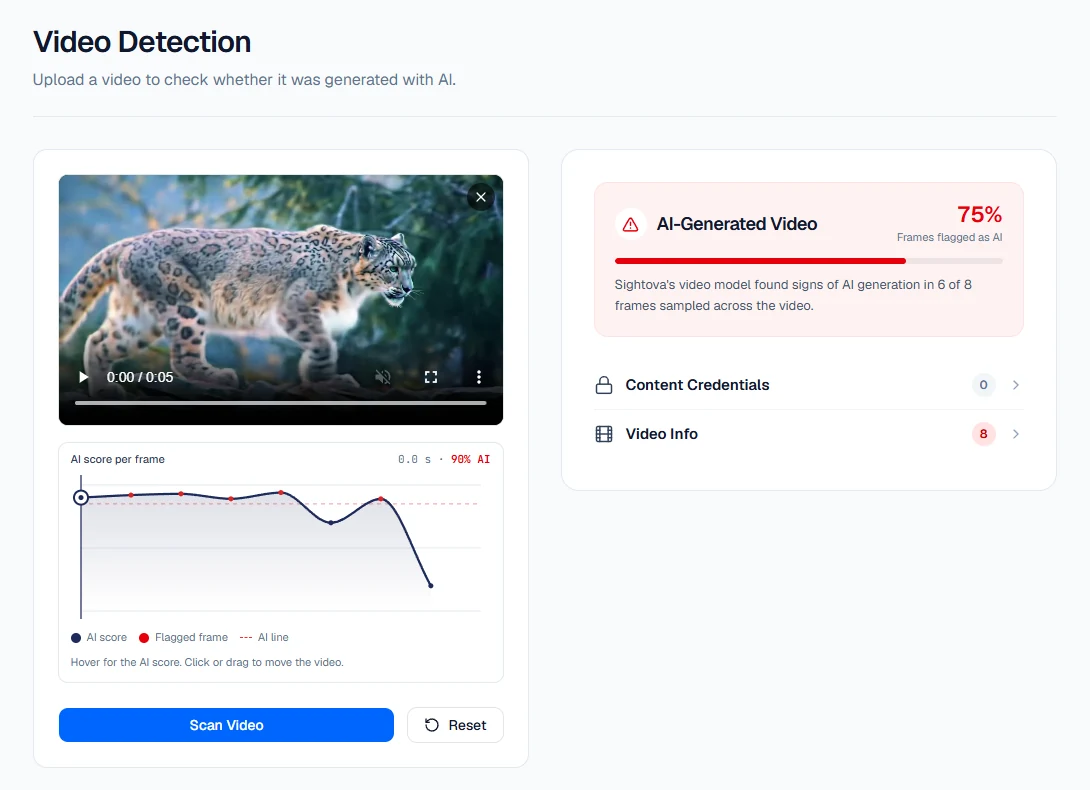
Six of eight is 75%, which meets the rule, so the clip is flagged as AI-generated. This is why the verdict looks at the whole clip: one low frame does not clear a generated video, and one high frame does not condemn a real one. The timeline shows exactly where the scores dip.
Results at a glance
We test the video model on public benchmarks and on a frozen test set of 19,124 clip versions that we set aside before training. Every clip is scored twice: as the original file and as a messaging-app copy.
| Test | Result |
|---|---|
| Real videos wrongly flagged as AI (2,360 test clips, originals and messaging-app copies) | 0.3% |
| GenBuster-Bench++, a public test we never trained on (1,000 AI and 1,000 real videos) | 97.45% accuracy |
| AIGVDBench, 16 video generators against real video | 99.80 AUC |
| Real TikTok videos wrongly flagged (accounts held out of training) | 0.1% |
| TikTok videos that TikTok labels as AI-generated, caught | 83.7% |
AUC measures how well the model ranks AI videos above real ones, on a scale where 100 means every AI video scored higher than every real video.
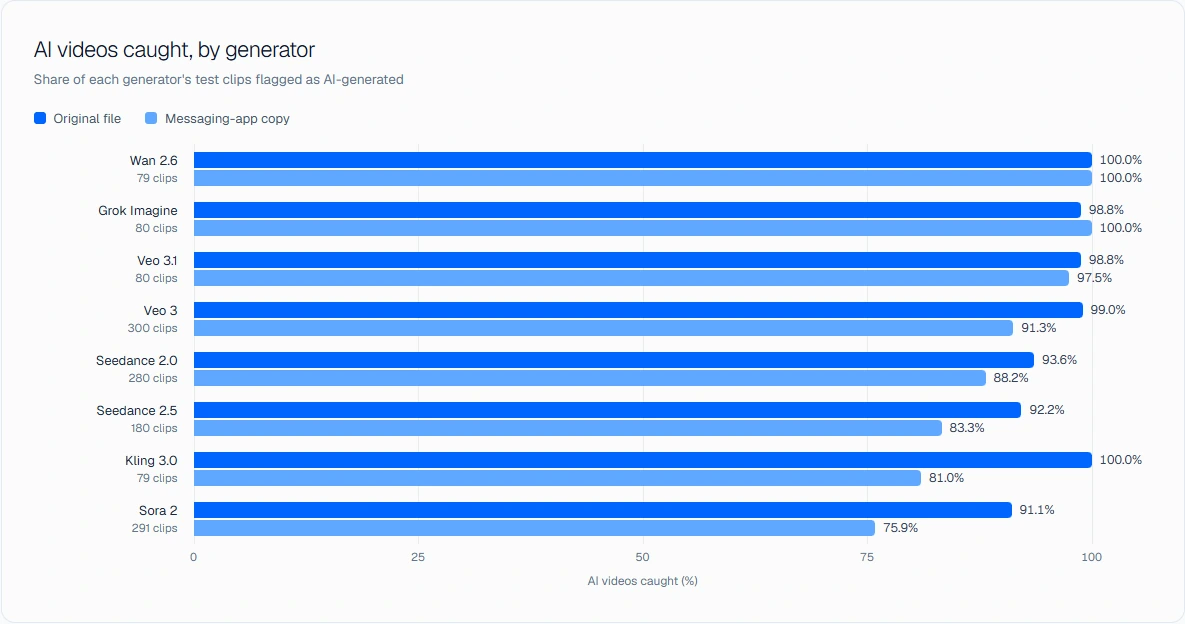
The full results, including every benchmark and every real-video set, are on our benchmark page.
Check a TikTok, Instagram, X or YouTube Shorts link
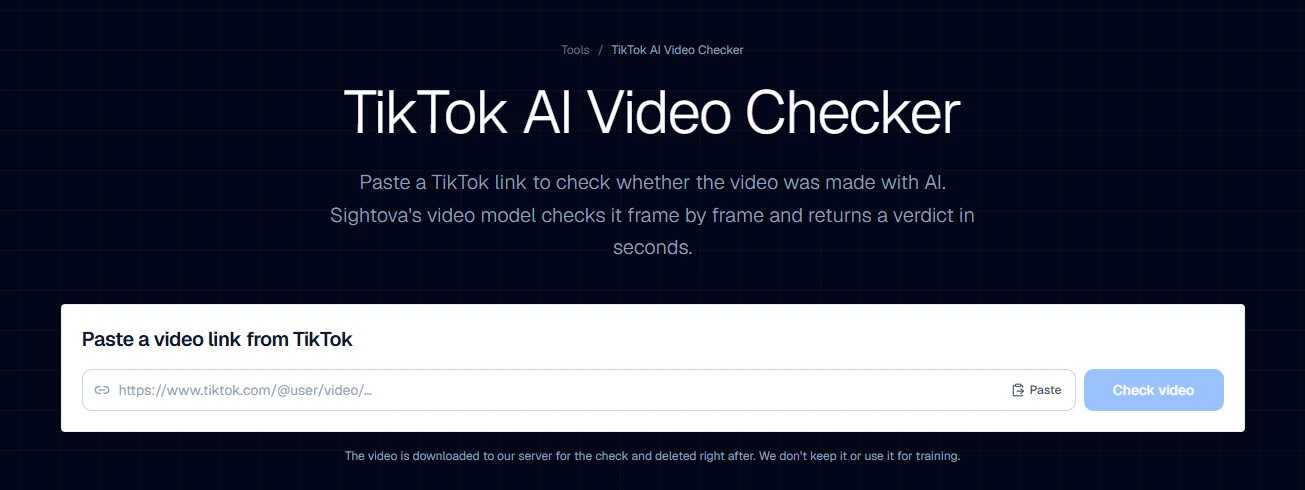
You do not need to download a clip to check it. Paste a public link into one of our video link checkers for TikTok, Instagram, X or YouTube Shorts. The video is downloaded to our server for the check and deleted as soon as the result is ready. Links to videos up to 3 minutes long work, and the first 60 seconds are scanned.
Plans and credits
AI Video Detection is included on the Starter, Premium and Enterprise plans. Video uses the same credit balance as image and document checks:
- 1 credit for every 5 seconds scanned. A 15-second clip uses 3 credits; a 1-minute video uses 12.
- You only pay for what is scanned. A longer video is still accepted; the scan covers its first 60 seconds.
See plans and credits for details.
Data handling
- EEA processing. Videos are processed in Germany and on a GPU server in Iceland.
- Deleted after analysis. Uploaded videos are held in a temporary file during the scan and deleted when it completes. Frame images are not stored.
- Not used for training. Scanned videos are never used to train our models.
Get started
AI Video Detection is live now. Choose a plan with video detection, read how it works on the AI Video Detection page, or contact us to discuss volume and integration under an enterprise agreement.