Contents
"My order arrived broken" is one of the most ordinary messages a retailer or marketplace gets. A photo is attached, a support agent looks at it, and a refund or a replacement goes out. For years that photo was decent evidence, because faking damage meant actually breaking something or spending real time in Photoshop.
Today an AI image editor turns a photo of an intact product into a convincing damage photo in seconds. We tested what Sightova's checks can and can't tell you about that. The short version: every AI image in this test was flagged, but on the two small edits it was not the pixel model that caught them.
The experiment
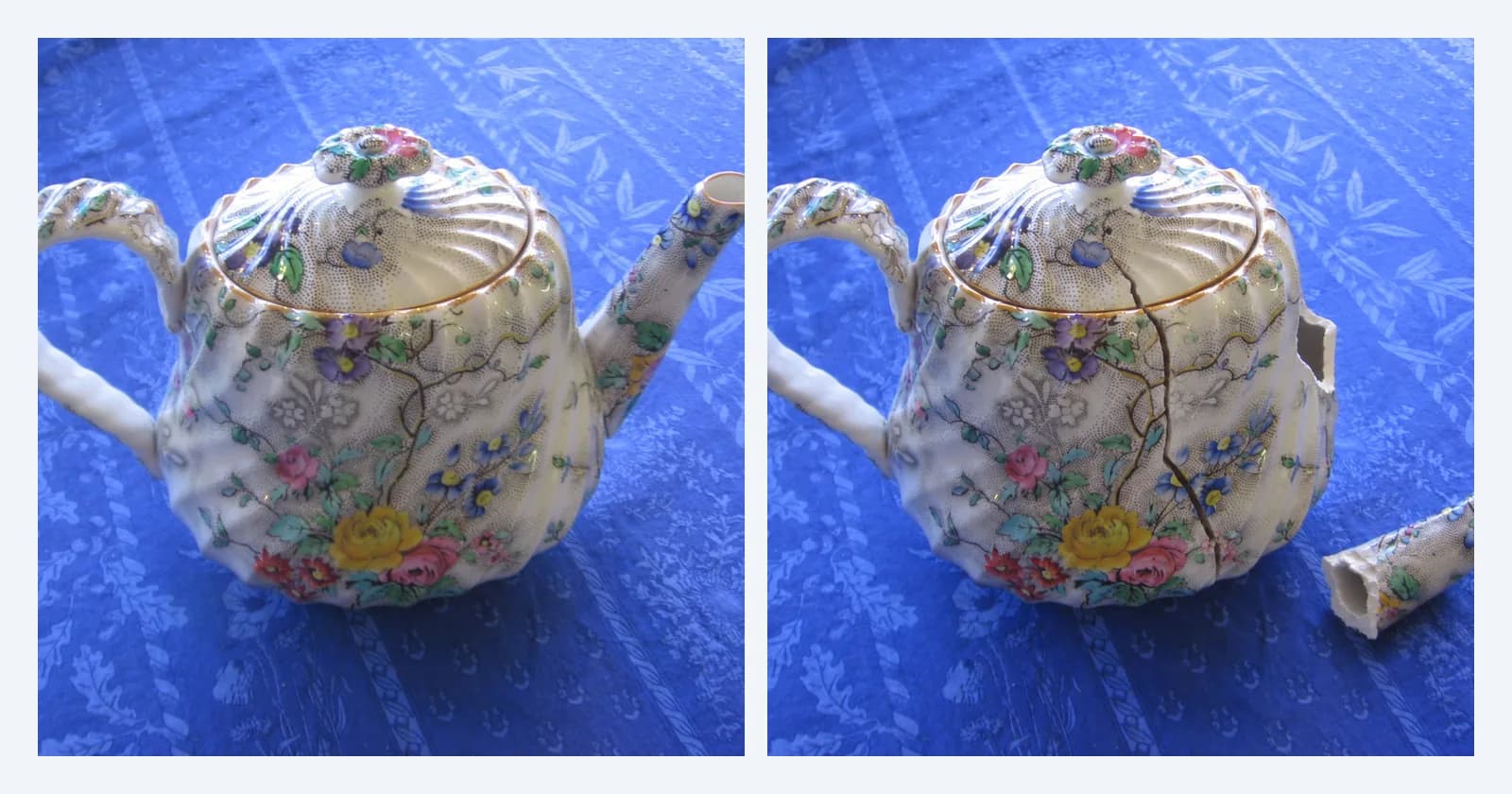
On 15 October 2026 we took two real photos of household objects from Open Images: a floral teapot on a blue tablecloth and a coffee mug on a desk. Through the OpenAI API, we asked GPT-Image 2.5 to damage each one:
- Teapot: snap the spout off, leave it lying next to the pot, and add a crack down the body.
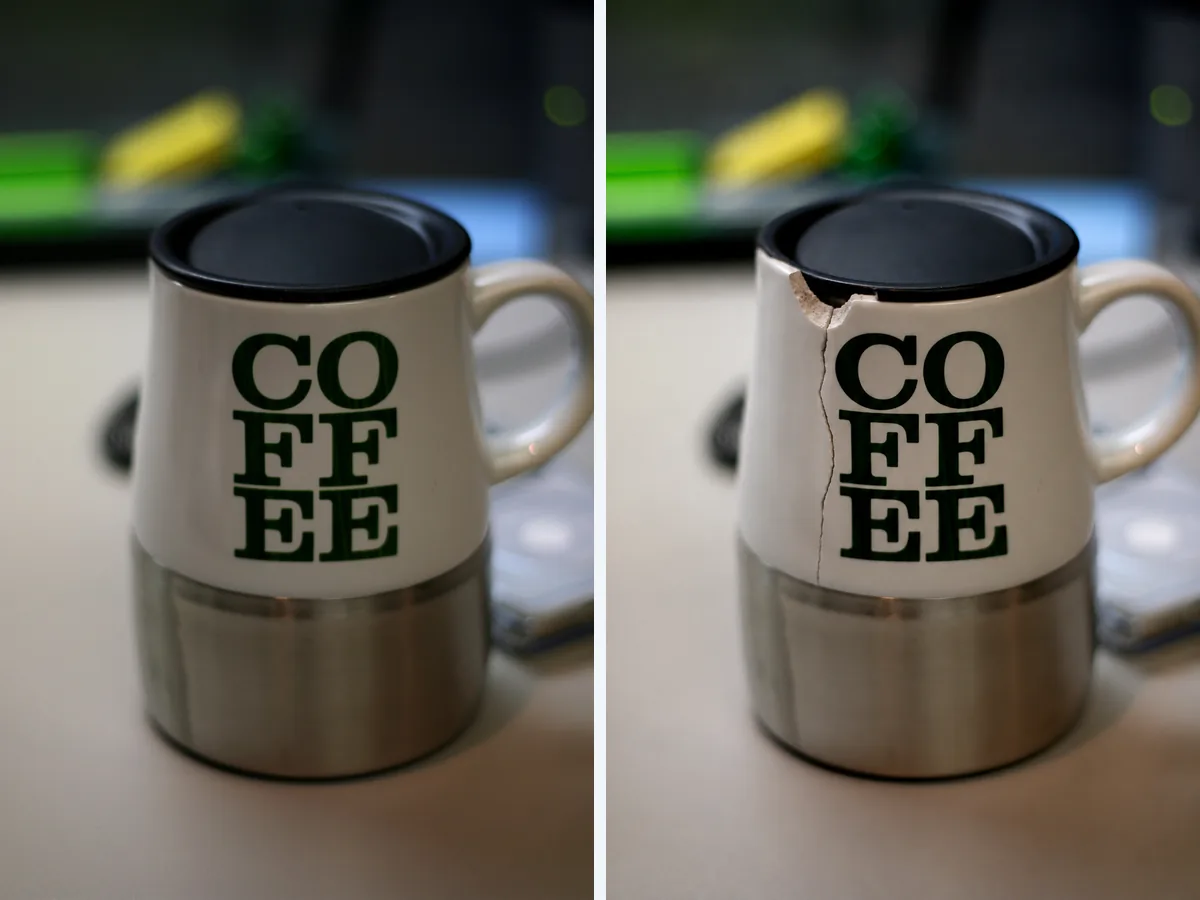
- Mug: chip the rim and add a crack running down from the chip.
We also asked it for one fully generated photo from a text prompt: a broken vase in an opened shipping box, the kind of picture that goes with a "damaged in transit" claim.
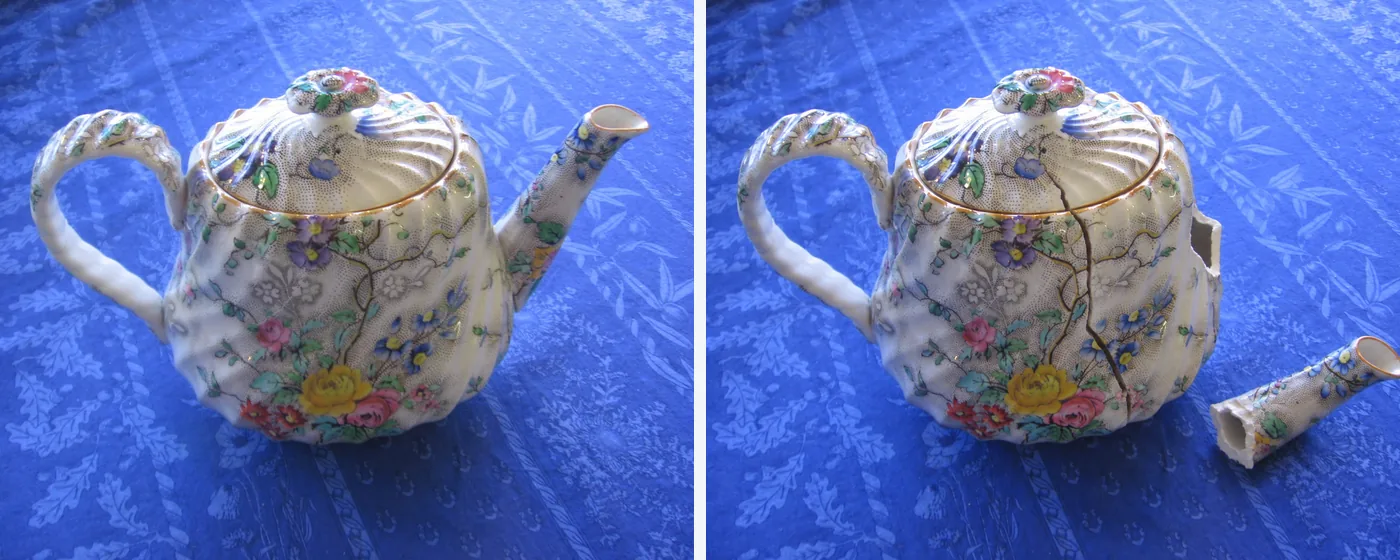
The edit keeps everything else: the pattern, the light, the folds in the tablecloth. The broken edges even look like glazed ceramic. On a phone screen, nothing gives it away.
What the scan returned
We ran all five files through the checks every Sightova scan uses, on the same day: the invisible watermark check (Google SynthID and OpenAI's watermark), content credentials (C2PA) and EXIF metadata, and our V3 pixel model, which flags an image at 85% AI probability.
| Photo | V3 AI probability | OpenAI watermark | Content credentials | Verdict |
|---|---|---|---|---|
| Teapot, real | 0.01% | Not found | None | Authentic |
| Teapot, edited | 0.02% | 100% | Valid, signed by OpenAI | AI Generated |
| Mug, real | 0.02% | Not found | None | Authentic |
| Mug, edited | 38.75% | 100% | Valid, signed by OpenAI | AI Generated |
| Broken vase, fully generated | 94.11% | 100% | Valid, signed by OpenAI | AI Generated |
All three AI images came back AI Generated, and both real photos came back clean. Before reading too much into that, look at the V3 column.
The pixel model barely saw the edits
On the edited teapot, V3 scored 0.02%, practically the same as the untouched original at 0.01%. The pixel model missed that edit completely. On the edited mug it scored 38.75%: higher than the original, but far below the 85% line. On its own, the pixel model would have let both damage photos through.
What caught them was provenance. GPT-Image 2.5 hides OpenAI's invisible watermark in the pixels it produces, and the decoder found it at 100% confidence on both edits. Both files also carried valid C2PA content credentials, signed by OpenAI and declaring AI generation. When either is present, the dashboard gives the verdict AI Generated even if the pixel model scores lower. For the mug, the model row reads "39% AI probability · The watermark settles the verdict", and the verdict reason reads "OpenAI signed this image and declared it AI-generated." with a "Verified by C2PA" badge.
This doesn't surprise us. Small AI edits inside real photos are the hardest case for any pixel model: almost all of the image is still the original camera photo, and only a small region was regenerated. Our testing methodology reports this openly, with benchmark results for AI edits.
What the heatmap showed
V3 also scores an image region by region and draws the result as a heatmap: green is clean, red is edited.
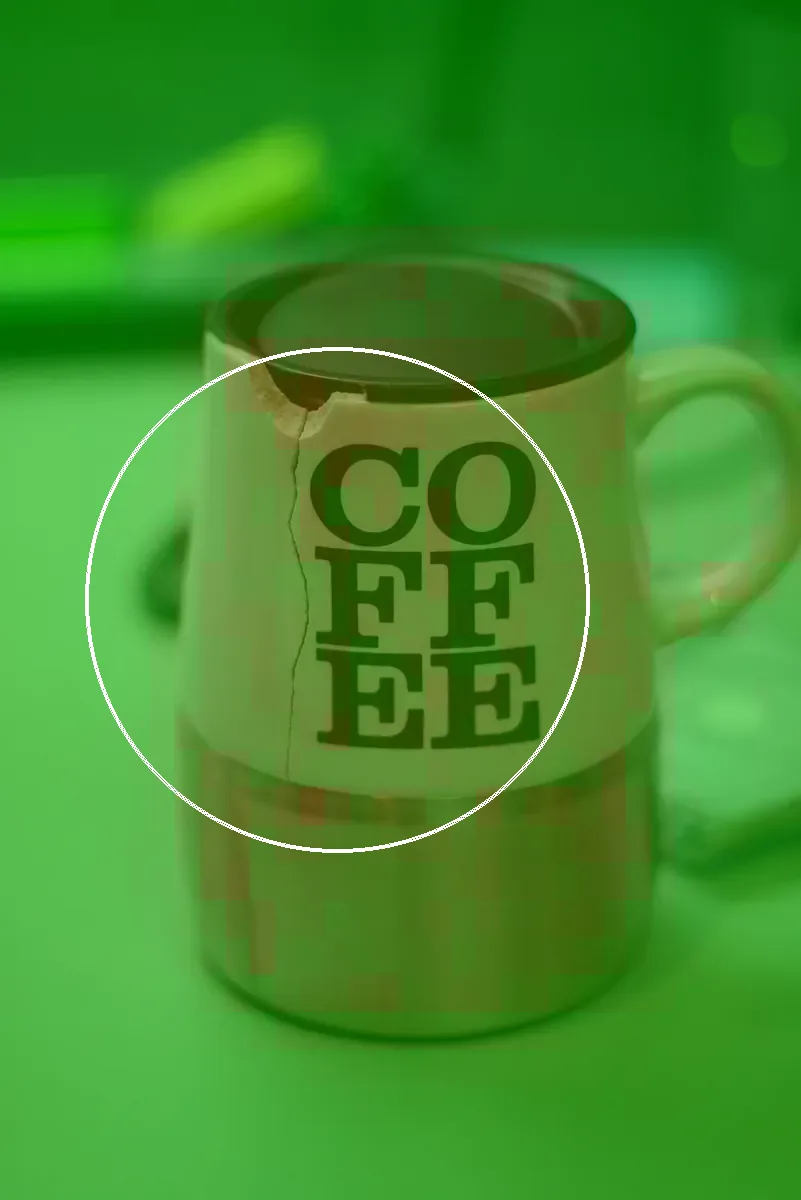
The model was looking in the right place, just not strongly enough: a hint, not evidence. For how the overlay works, see pixel heatmap analysis.
The fully generated photo is the easy case
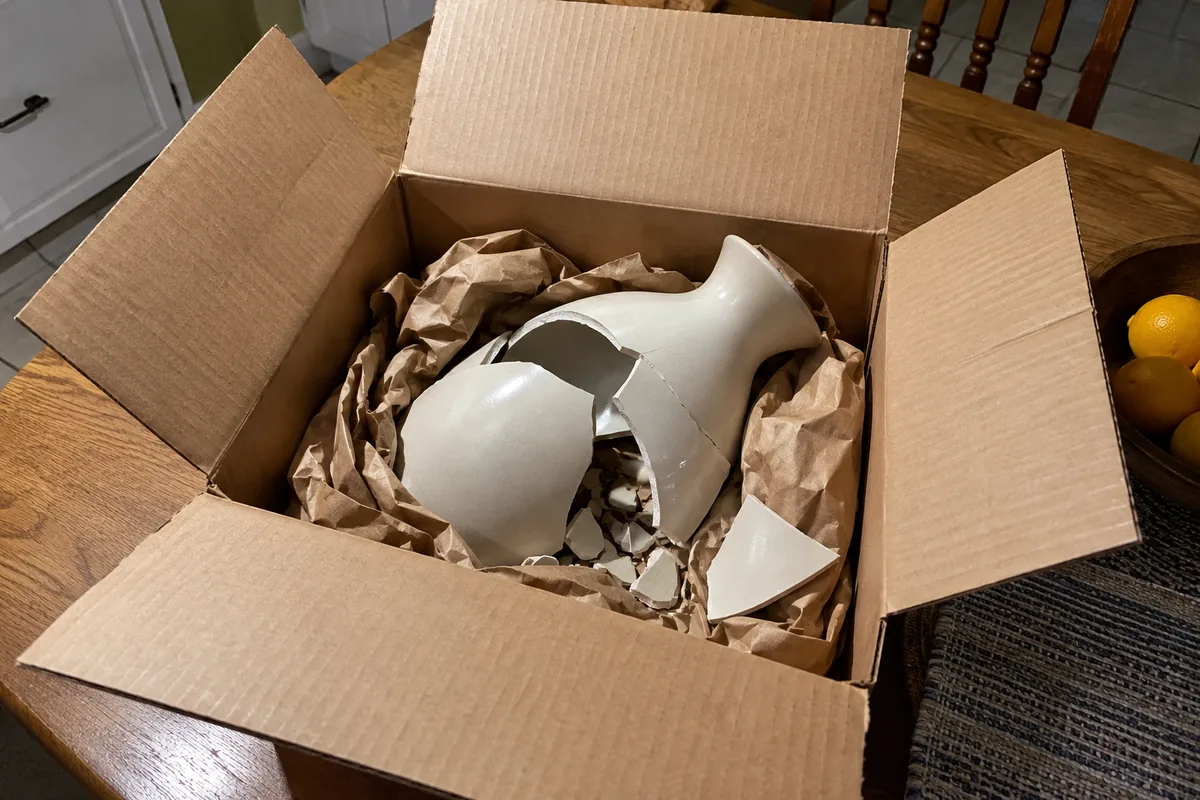
The broken vase was caught on all three signals: V3 at 94.11%, OpenAI's watermark at 100%, and signed credentials. Whole generated images are where pixel models are strongest. On public benchmarks, V3 detected 97.35% of images from nine of the newest generators while wrongly flagging 0.24% of 61,999 real web images; the details are in our testing methodology.
When the watermark isn't there
Everything above depends on the fraudster using a tool that marks its output. OpenAI and Google add invisible watermarks and content credentials; most open-source editors add neither. Content credentials are also fragile: screenshots, re-saving and most messaging and social apps strip them. See watermark forensics for how the two differ.
So picture the same mug edit made with an editor that adds no watermark, then screenshotted. Nothing is left but the pixels, and for edits this small, on this test, the pixel model would not have been enough.
That is why damage claims need process signals alongside detection:
- Ask for the original file, not a screenshot or a photo forwarded through a chat app. Originals keep their metadata, including any content credentials.
- Ask for a second angle or a short video. One convincing still is quick to make; a consistent set of angles, or a video, is much harder.
- Check for camera EXIF. A photo straight from a phone normally carries the camera make, model and capture time. Missing EXIF proves nothing on its own, since many apps strip it, but it's a reason to ask for the original.
Where to check
The cheapest moment to check is when the photo arrives:
- Returns and refunds: scan damage photos at claim intake, before the refund is approved. See e-commerce.
- Proof of purchase: receipts get edited too. See fake receipt detection and how an AI editor forged one.
- Shipping and contents insurance: a "damaged in transit" claim is the same photo in a different queue. See insurance fraud detection.
- One-off checks: the free SynthID decoder looks for Google's and OpenAI's invisible watermarks in a single photo.
Try it
Upload a damage photo in the dashboard to see the watermark, content credentials and V3 results side by side, or build the same checks into your claims flow with the API.
Original photos: teapot by The Living Room and mug by Terry Johnston, both CC BY 2.0, via Open Images; both edited by Sightova with GPT-Image 2.5.