Contents
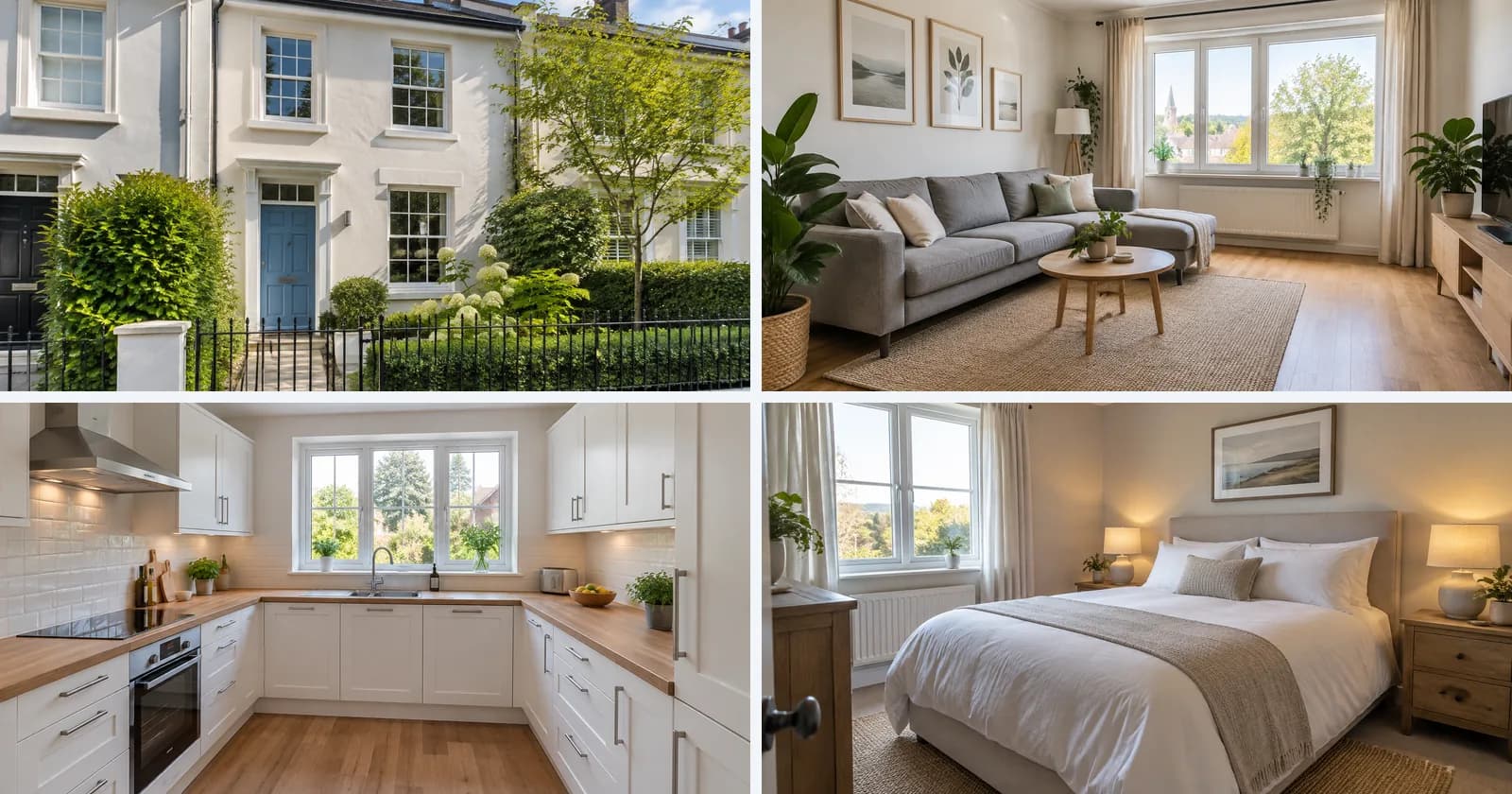
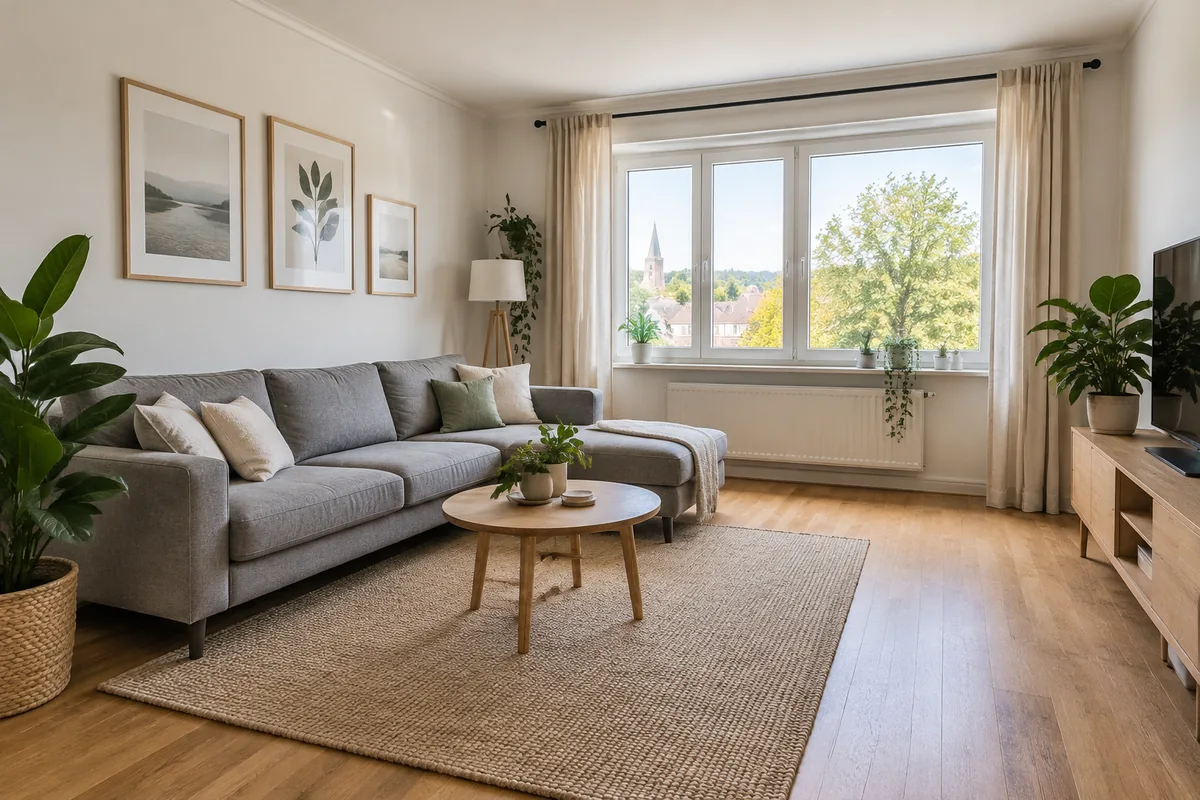
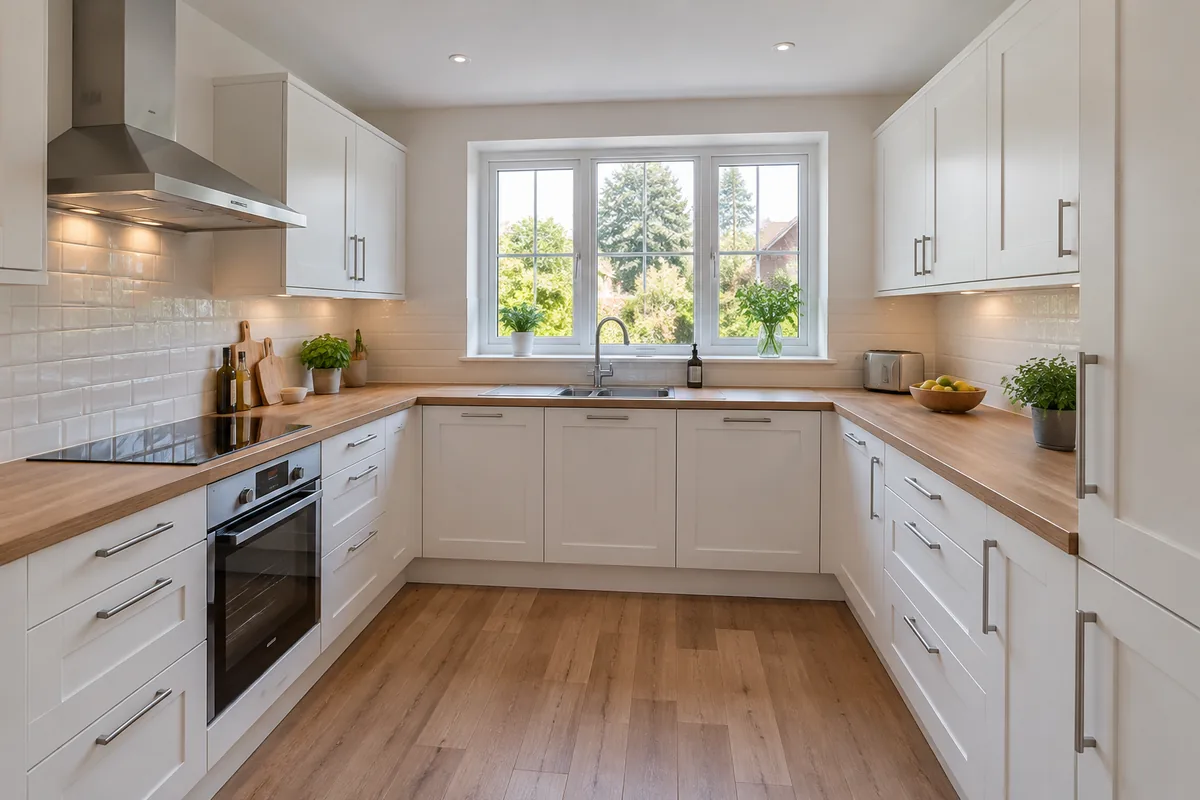
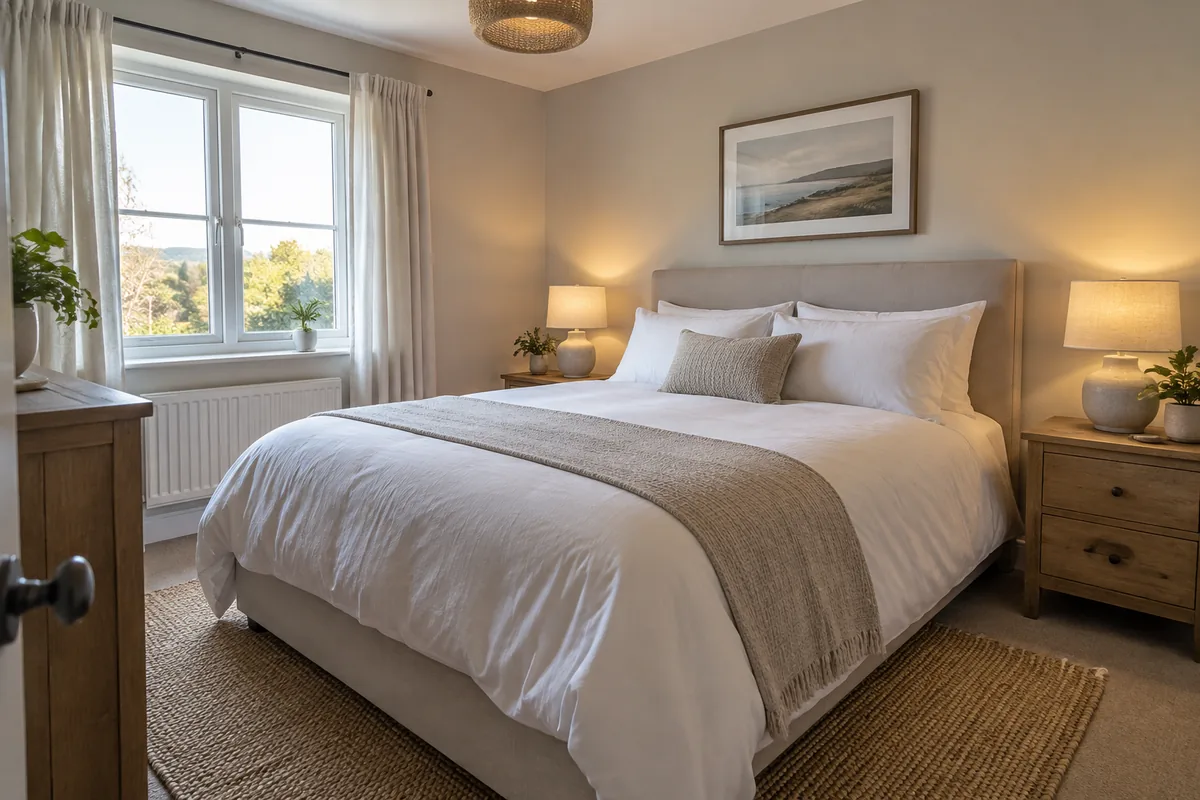
A townhouse with a blue front door, a bright living room, a white kitchen and a calm bedroom: on a rental site, that is a listing worth messaging about. None of it exists. We generated all four photos on 15 October 2026 with OpenAI's GPT-Image 2.5, the way a scammer could, and ran them through the same checks every Sightova scan uses.
How the deposit scam works
The script is familiar. A nice home in a good area is listed a little below the market. The "landlord" answers quickly but can't show the place: they are working abroad, or the current tenant is still in. Lots of people are interested, so to hold it you need to pay a deposit or the first month's rent now. The keys will follow by mail.
Once the money is sent, often by a method that is hard to reverse, the landlord stops answering. There was never a home to rent, or there was one, but it belonged to someone else.
Why reverse image search stops working
The weak point of this scam used to be the photos. Scammers copied them from real listings, and a careful renter could drop one into a reverse image search and find the same living room advertised in another city, under another name. That one check was often enough to expose a fake.
Generated photos break it. An image made from a text prompt has no earlier copy online, so a reverse image search has nothing to match. Asking for "one more photo of the bathroom" no longer proves much either: the tool that made the first rooms can make the next one in the same style.
The listing we made
We wrote ordinary prompts for one listing: the outside of a white townhouse with a blue front door, a living room, a kitchen and a bedroom. The results look like the work of a real estate photographer: straight lines, soft daylight, tidy rooms, nobody in the frame. We scored the original files exactly as the API returned them.
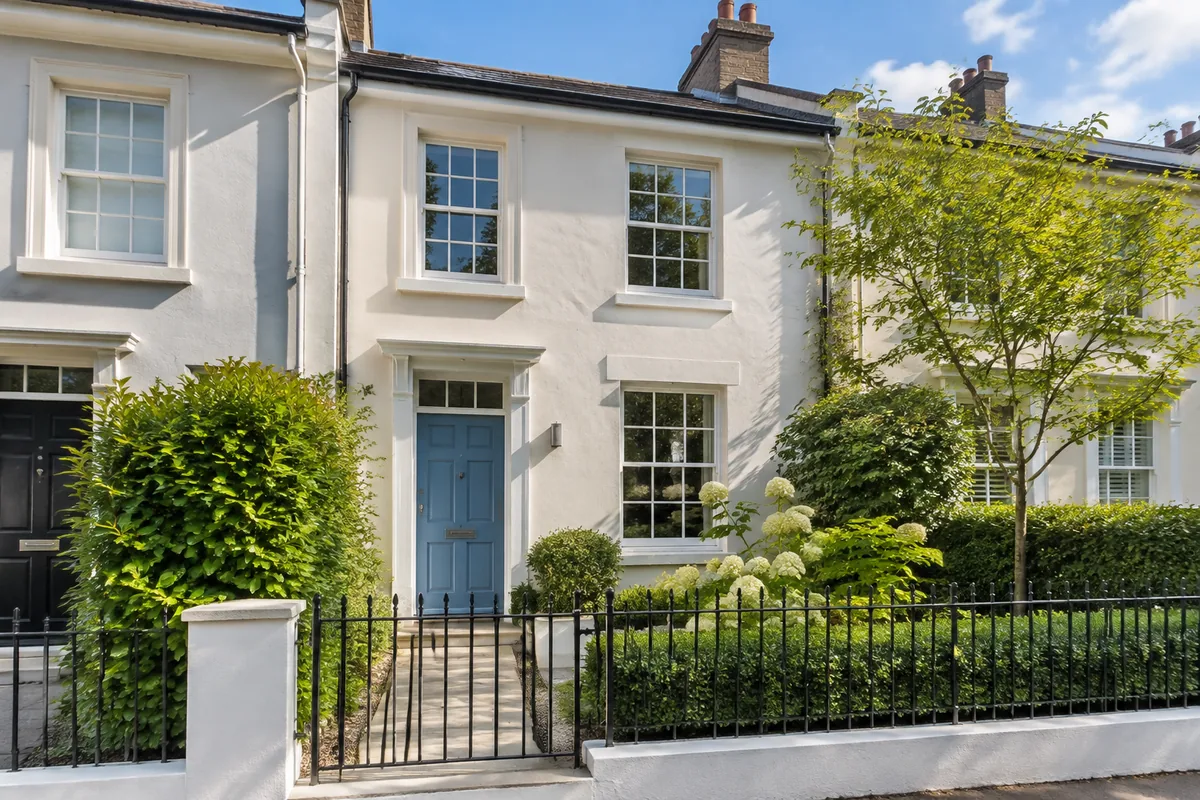
To the eye, nothing gives them away: consistent light, plausible furniture, a believable view.
What the scan found
| Photo | V3 AI probability | OpenAI watermark | Content credentials (C2PA) |
|---|---|---|---|
| Exterior | 94.93% | Found, 99.57% confidence | Valid, signed by OpenAI |
| Living room | 94.81% | Found, 100% confidence | Valid, signed by OpenAI |
| Kitchen | 94.19% | Found, 100% confidence | Valid, signed by OpenAI |
| Bedroom | 95.03% | Found, 100% confidence | Valid, signed by OpenAI |
All four photos were flagged as AI-generated, and on every one the three checks agreed:
- Invisible watermark. OpenAI hides a signal in the pixels of the images its models make. Sightova found it in all four, at 99.6% confidence on the exterior and 100% on the rest. When it is there, it is close to proof and names the source. See how our watermark check works.
- Content credentials. Each file carried a C2PA manifest signed by OpenAI that declares the image AI-generated. The dashboard's verdict reason reads "OpenAI signed this image and declared it AI-generated." with a Verified by C2PA badge.
- The V3 model. Our pixel model, in production since 11 October, scored all four between 94% and 95%, well above the 85% line at which it flags an image. It reads the pixels, so it works without the other two signals.
This matches what we saw when we tested GPT-Image 2.5 and Nano Banana Pro: fresh files from the big commercial generators carry all three signals.
What the checks can't tell you
Untouched files straight from the generator are the easy case. Real listings are messier:
- Watermarks and credentials only exist when the tool adds them. OpenAI and Google add them; most open-source generators don't. Screenshots, re-saving and most messaging and social apps also strip content credentials. That is why the V3 model runs on every scan.
- The pixel model is strong, not perfect. On public benchmarks, V3 detected 97.35% of images from nine of the newest generators and wrongly flagged 0.24% of 61,999 real web images. That is not every image, and not zero false alarms. See our testing methodology.
- Small edits are harder. A real photo of a different apartment with an AI-added kitchen is the hardest case for any pixel model, as our section on AI edits reports.
- AI doesn't mean fraud. Some agents use AI virtual staging on real homes. A flag means "ask more questions", not "this landlord is a scammer".
- Stolen real photos pass as real. Sightova tells you whether an image was generated or edited by AI, not whether a real photo belongs to the person advertising it. For copied photos, reverse image search is still the right tool. Use both.
What renters can do
None of these steps rely on spotting the fake by eye.
- Never pay before viewing. No deposit, rent or "holding fee" until you, or someone you trust, have been inside and confirmed that the person renting it out has the right to.
- Check the photos. Run them through Sightova, or through our free SynthID decoder, which looks for Google's and OpenAI's invisible watermarks and needs no account. Save the image file itself if you can: a screenshot removes the content credentials.
- Compare the outside with the street. Look up the address on a street-level map. A generated house won't match the building that stands there.
- Ask for a live video walk-through. A live call moving from room to room is much harder to fake than a set of stills.
- Treat the script as the warning. An owner abroad, pressure to decide today and a payment that is hard to reverse are the classic signs, whatever the photos look like.
These listings often arrive by email, too. See the email scam detector for checking images inside the messages you open.
What listing sites can do
Rental platforms, classifieds and marketplaces see every listing when it is created, which is the cheapest place to stop a fake.
- Check photos at upload. Each listing photo is one call to the API, and the watermark, credentials and V3 score come back together.
- Send flags to review, not removal. Because legitimate listings sometimes use AI staging, hold a flagged listing for a moderator or a verification step, such as proof of ownership.
- Label what your policy allows. If virtual staging is permitted, a visible "AI-generated image" label keeps renters informed.
- Weigh account signals too. New accounts, many listings from one account and requests to move the chat off the platform belong next to the image result.
The same approach works for marketplaces and e-commerce, for listings shared on social platforms, and for anyone who needs to verify where an image came from.
Try it
Check a listing photo yourself in the dashboard, or build the same three checks into your upload flow with the API.
Images: all four listing photos were generated by Sightova with OpenAI's GPT-Image 2.5. The townhouse does not exist.