Contents
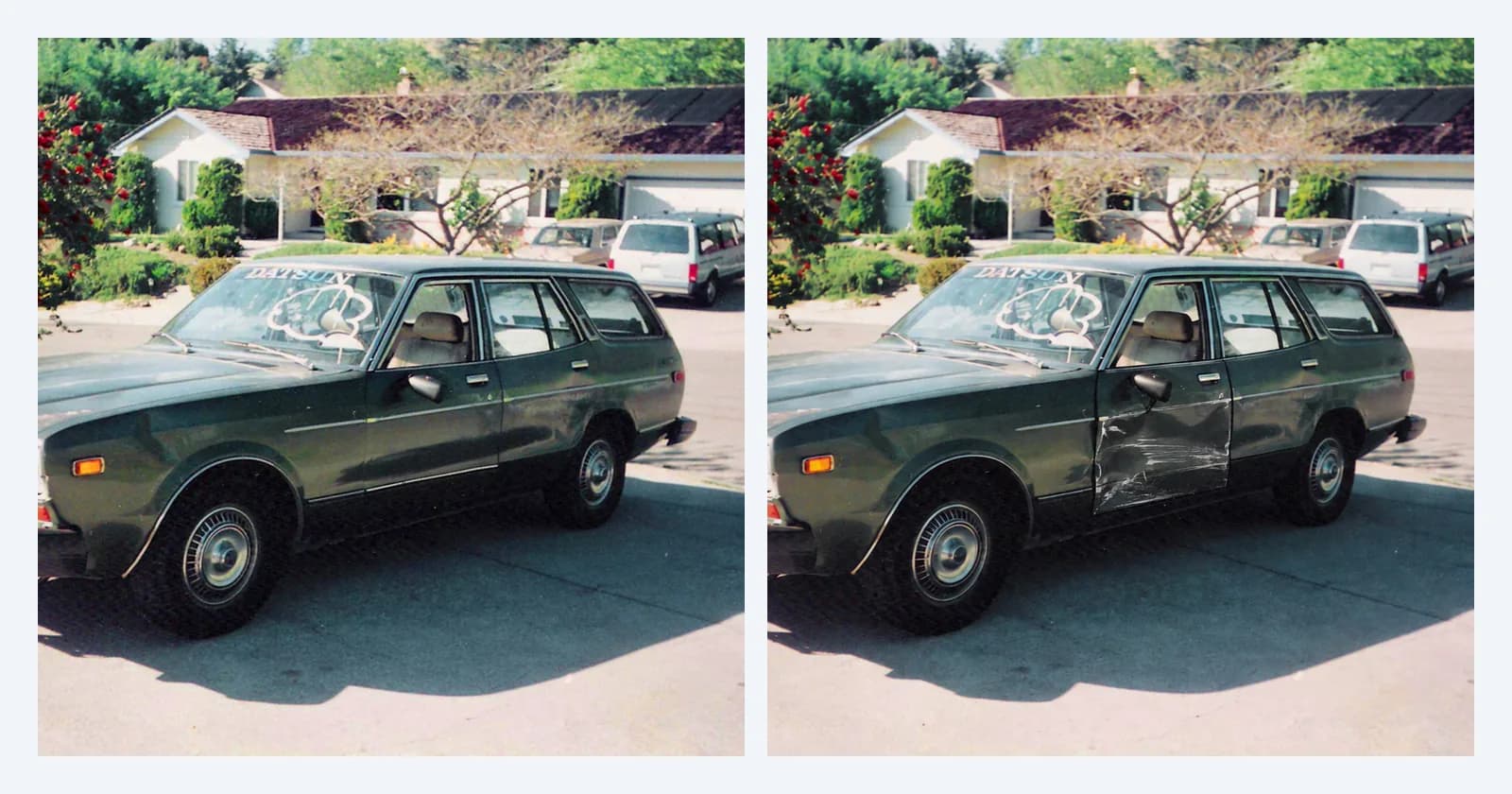
A photo of the damage sits at the heart of most motor and property claims. AI image editors have changed what that photo can prove: they can take a picture of an undamaged car and add a dent that matches the paint, the light and the grain of the original.
So we tried it. We took a real photo of a car with no damage, asked an AI editor to dent the door, and ran both files through the same checks Sightova uses for insurance fraud detection.
The experiment
The original is a real photo of a green station wagon parked in a driveway, from the Open Images dataset (credit at the end). There is no damage on it.
On 15 October 2026 we gave that photo to OpenAI's GPT-Image 2.5 and asked for one change: a large dent with scraped paint on the driver's door, everything else kept as it was.
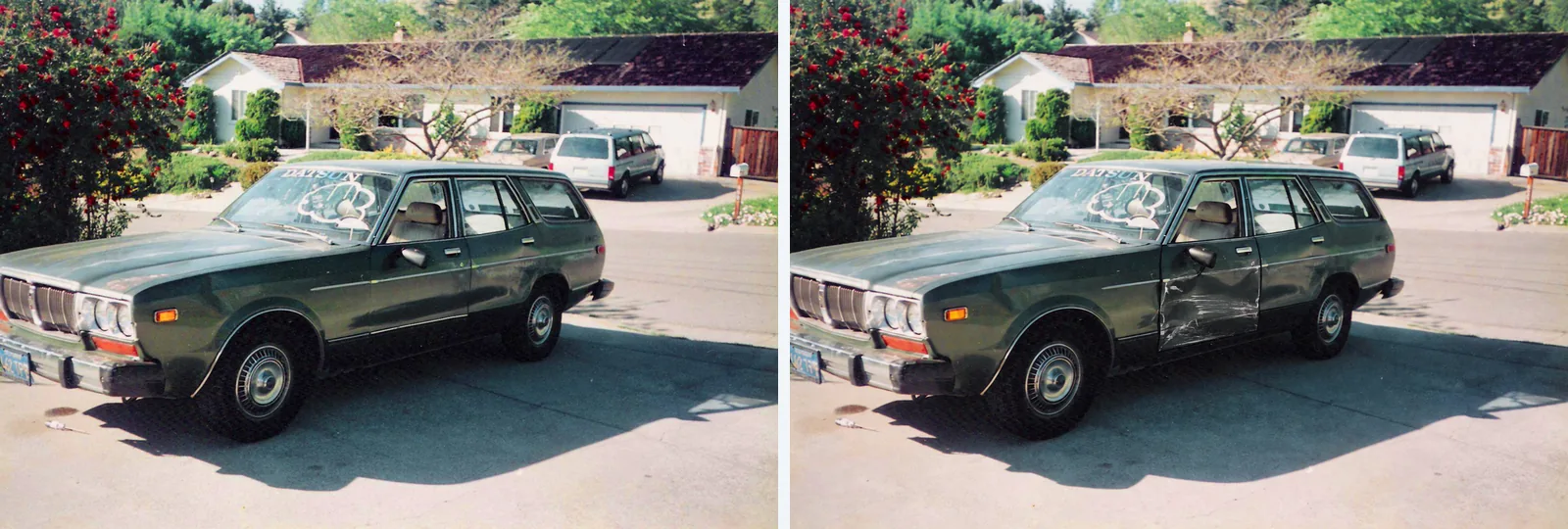
The result is convincing. The crease and the scrapes sit where you would expect them, the light falls on them from the same side as on the rest of the car, and the house, the trees and the shadows on the driveway look untouched. In a claim file, next to a repair estimate, it would not stand out.
What the scan returned
We scanned both files the same day with Sightova's production checks: invisible watermarks (Google SynthID and OpenAI's watermark), content credentials (C2PA) and EXIF metadata, and our V3 model, which flags an image at 85% AI probability.
| Check | Real photo | AI-edited photo |
|---|---|---|
| Invisible watermark | Not found | OpenAI, 100% confidence |
| Content credentials (C2PA) | None | Valid, signed by OpenAI |
| V3 AI probability | 0.31% | 42.9% |
| Verdict | Authentic | AI Generated |
The real photo came back clean on all three checks. The edited photo was flagged as AI Generated, and the reason is in the first two rows. GPT-Image 2.5 left OpenAI's invisible watermark in the edited image, and the decoder found it at 100% confidence. The file also carried a valid C2PA manifest, signed by OpenAI, declaring that it was made with AI.
In the dashboard, the verdict reason reads "OpenAI signed this image and declared it AI-generated." with a Verified by C2PA badge. The model row underneath reads "43% AI probability · The watermark settles the verdict".
The pixel model on its own
That model row deserves a closer look, because 42.9% is well below the 85% line. Had the watermark and the credentials been missing, V3 alone would not have flagged this photo.
We would rather show that than hide it. Small AI edits inside real photos are the hardest case for any pixel model: almost everything in this image really did come from a camera, and only one door panel was generated. Our testing methodology reports how V3 does on public benchmarks of AI edits, including the edit types it still misses.
Where the heatmap pointed
V3 also scores the image region by region and draws a heatmap: green where it sees an untouched photo, red where it sees an edit.
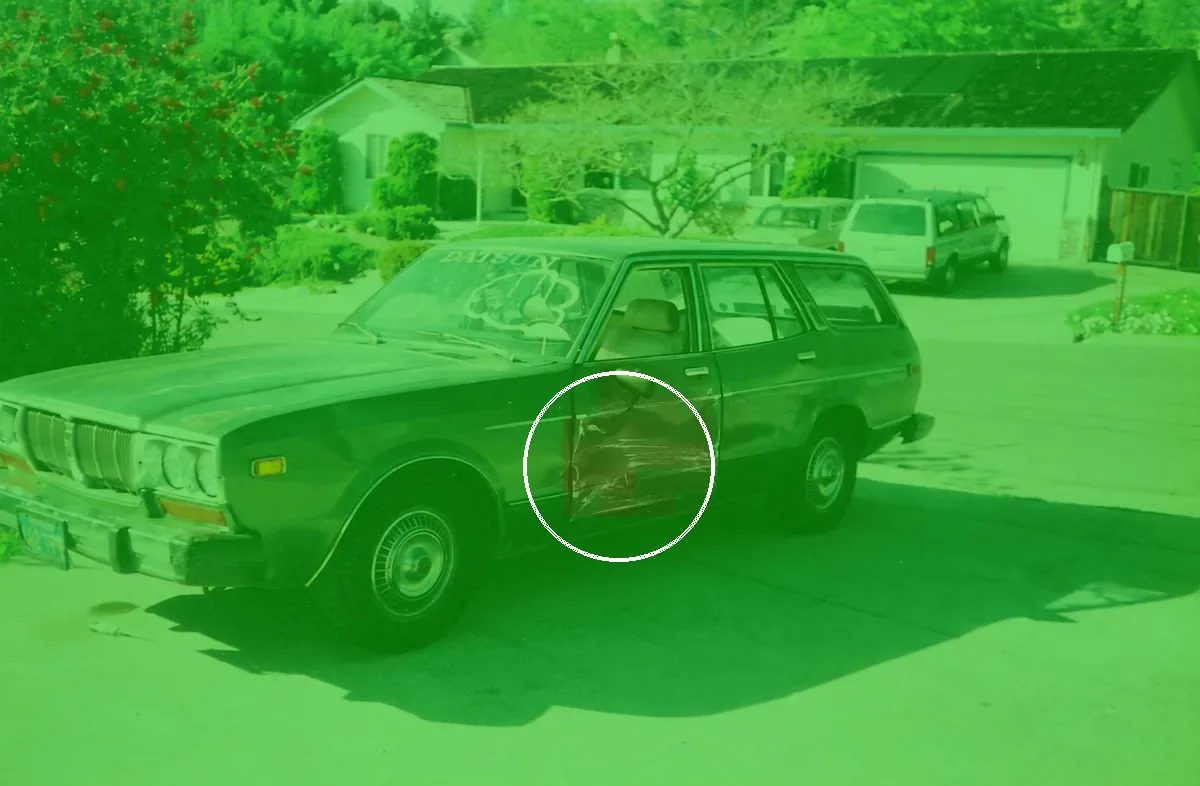
The strongest cells sit exactly on the dent, inside the white ring: the model noticed something, and in the right place. But those cells only reach 26.5%, below the level at which the heatmap marks a region as edited, so the overlay stays green. It pointed at the right spot, too weakly to decide. More on how the heatmap works: pixel heatmap analysis.
Why every scan runs three checks
This example shows the checks covering for each other.
- Invisible watermarks are close to proof when present, and they name the source. OpenAI and Google add them; most open-source tools don't. A watermark sits in the pixels rather than the metadata, so it is harder to lose, but no watermark is guaranteed to survive every edit. You can run this check on its own with our free SynthID decoder.
- Content credentials are the most explicit evidence and the most fragile. Screenshots, re-saving and most messaging and social apps strip them.
- The pixel model runs on every scan, because it still has something to read when the watermark and the credentials are gone. On fully generated images it is strong: on our public benchmarks, V3 detected 97.35% of images from nine of the newest generators and wrongly flagged 0.24% of 61,999 real web images. On small edits it is weaker, as the dent shows.
No single check catches everything. Together they leave a forger far less room than any one of them alone.
A claim photo made from scratch
Not every fake claim photo starts from a real one. We also asked GPT-Image 2.5 to generate a water-damage photo from a text prompt: a kitchen floor with buckled boards and water spreading across it. The kitchen does not exist.
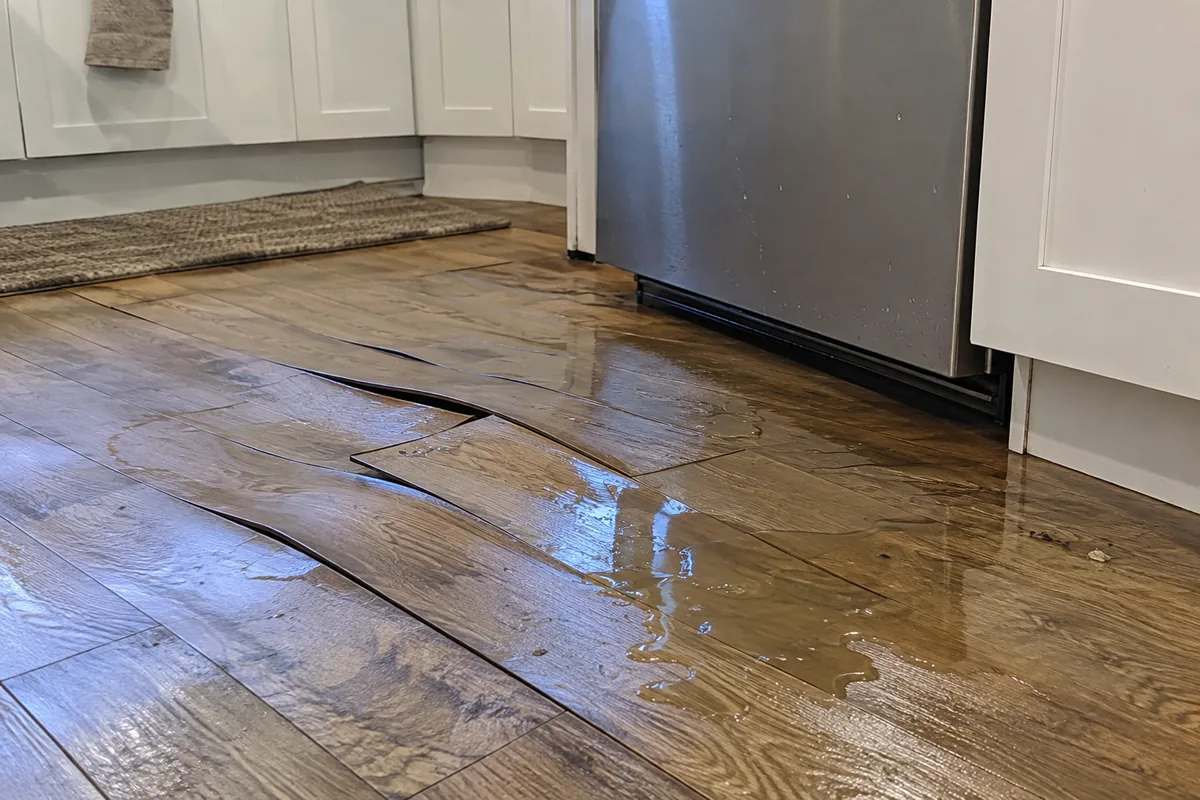
This one was caught on all three signals. V3 scored it 95.31%, the OpenAI watermark was found at 100% confidence, and the C2PA credentials were valid and signed by OpenAI. When the whole image is generated, the pixel model has the whole frame to read. A local edit leaves it a single patch.
What claims teams can do
Image checks work best as one signal in the claims process, not the only one:
- Scan every claim photo at intake. A watermark or signed AI credential settles the question straight away, and the pixel score and heatmap give a reviewer somewhere to look. The API brings the same checks into a claims system.
- Ask for the original files. A photo straight from a phone normally carries camera EXIF metadata, such as the camera model and capture time, and Sightova reads it in the same scan. A missing record proves nothing on its own, since many apps strip it, but it is a reason to ask again.
- Ask for more than one angle: a wide shot of the whole vehicle and close-ups of the damage. An edit has to be repeated consistently across all of them.
- Compare with earlier photos of the same vehicle, from the start of the policy, an inspection or a previous claim.
- Read a low score as "no AI evidence found", not as "proven real". On small edits, the pixel model can point at the right place without being sure.
The same edit works on paperwork, such as repair estimates and invoices; see how Sightova caught an AI-edited receipt. For photos submitted as evidence in a dispute, see legal and compliance; for checks across several workflows, see enterprise.
Try it
You can scan your own claim photos in the dashboard, or build the same three checks into your intake flow with the API.
Original car photo: eric molina, CC BY 2.0, via Open Images; edited by Sightova with GPT-Image 2.5. The water-damage photo was generated by Sightova with GPT-Image 2.5.